EzShrink shrinks a video you already have, using presets or a target size, then can save a .torrent and magnet next to the new file. Encoding runs on the device. Seeding is off until you turn it on.
Beta. The Android build has not yet been run on a phone. A public download is not offered yet.
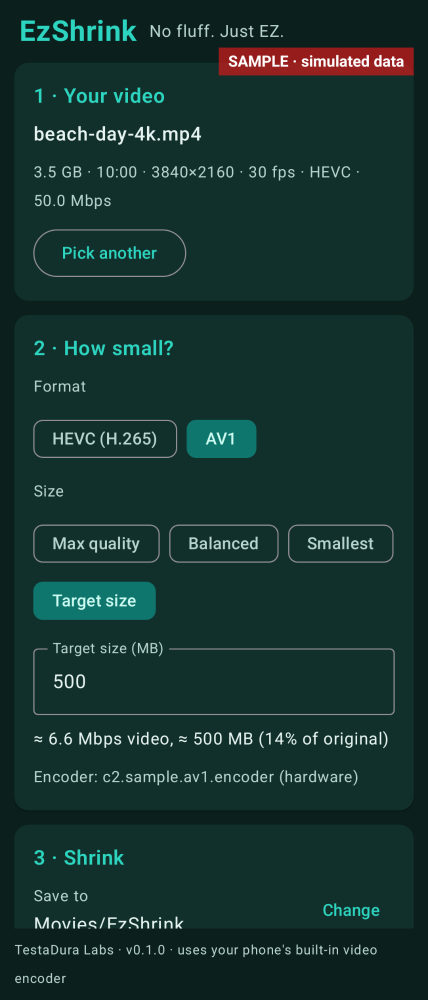
Choose a video with the system picker, or share one from your gallery. The app shows size, length, resolution, frame rate, codec and bitrate. Pick HEVC or AV1 (AV1 is disabled if the phone has no AV1 encoder), then Max quality, Balanced, Smallest, or a target size in MB.
Encode on the phone
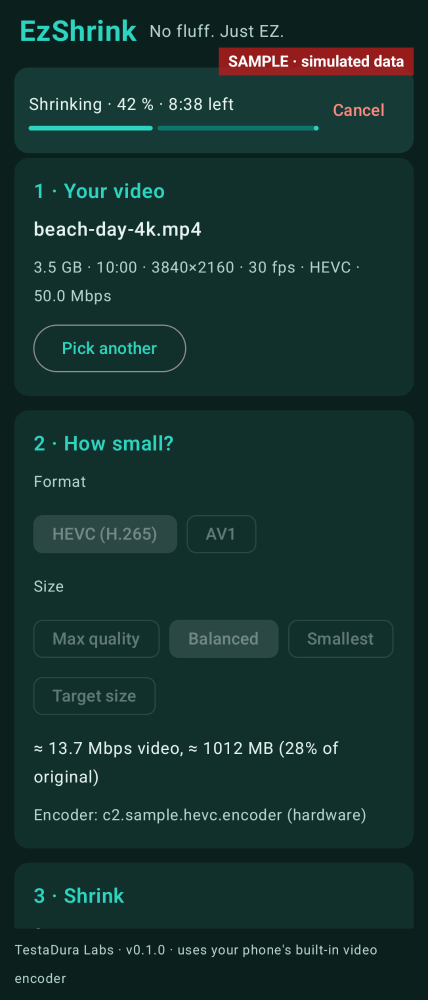
Encoding runs in a foreground service, with a progress notification and Cancel, and can continue with the screen off. Cancel or a failure deletes the partial file. The new file is written into a folder you pick once with the system picker. No storage permission is used.
Make a .torrent and magnet
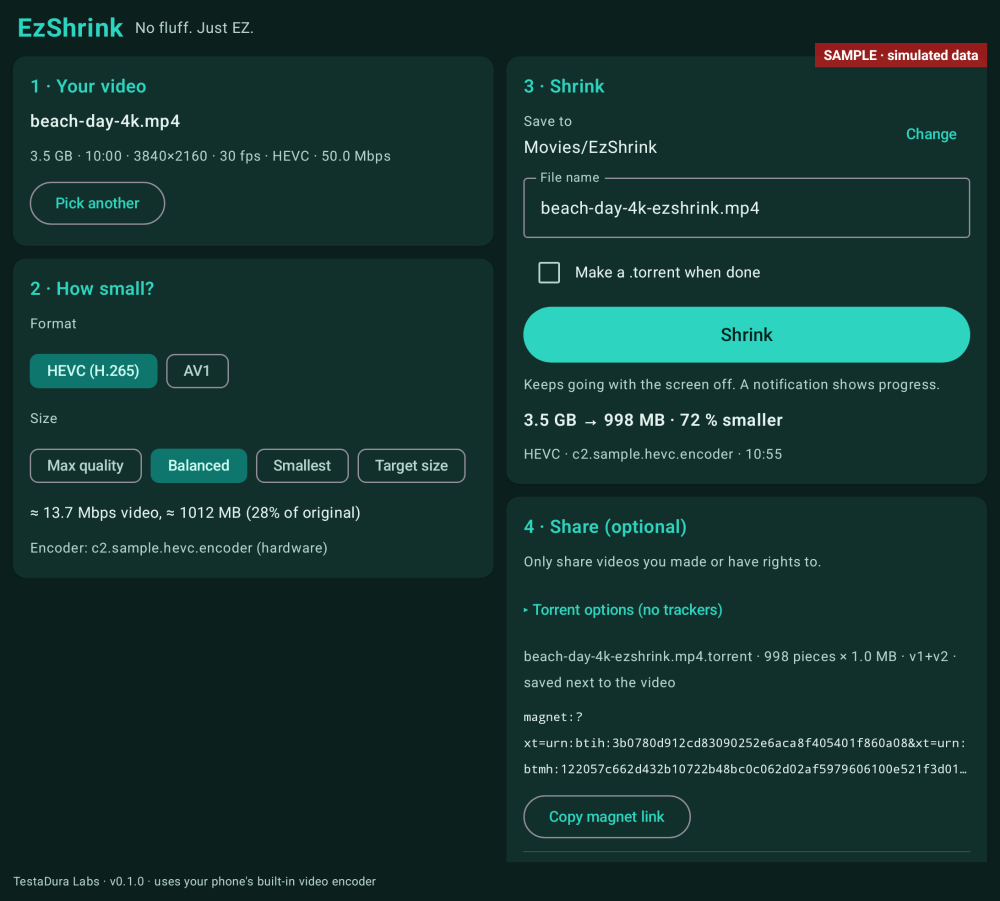
Optionally write a hybrid v1+v2 .torrent next to the new video, with no trackers by default, and copy a magnet link.
Optional seeding
Seeding stays off until you turn it on, and only after a torrent exists. It is Wi-Fi only unless you also allow mobile data. Peers can see your IP address while seeding is on. It stops when you press Stop, swipe the app away, lose Wi-Fi, or hit Android’s time limit.
What it does not do
The Android 0.1.0 build has not yet been run on a phone or emulator, so real encode speed, output size and seeding on a device are untested.
The Android app is arm64-v8a only.
Audio is copied as-is on Android. If the source audio cannot go in an MP4, it may be transcoded (typically to AAC) by the phone’s encoder.
One video at a time. There is no queue.
Seeding shows your IP address to peers. Only share videos you made or have rights to.
Screenshots
These are sample interface renders from the app, not photographs from a phone. Some frames show sample data.
Sample render
Encoding, with progress and Cancel. The file name in this render is sample data.
Sample render
Target size, or the Max quality, Balanced and Smallest presets.
Sample render
On a wide inner screen the steps sit side by side. A .torrent and magnet can be saved next to the new file.
Specs
Version
0.1.0
Platform
Android (arm64-v8a)
Minimum Android
Android 8.0 (API 26)
Size
24.1 MB
Permissions
Android: internet and network state (for optional seeding), foreground services, notifications and a wake lock. No storage, media, location, camera or microphone permissions.
Works offline
Yes for encoding and for making a .torrent. Seeding needs a network.
Data collected
Videos stay in the folder you pick. If you turn seeding on, peers can see your IP address.
Last updated
13 Nov 2026
How to use it
A public download is not offered yet. Once you have the Android app:
Pick a folder for the new file, then pick a video you already have.
Choose HEVC or AV1, then a preset or a target size, and tap Shrink. You can cancel from the notification.
Optionally make a .torrent and copy the magnet. Leave seeding off unless you intend to share; peers can see your IP address while it is on.
Requirements
Android 8.0 (API 26) or newer; targets Android 16 (API 36); arm64-v8a only. Not yet run on a device.
Questions
Does encoding need the internet?
No. Encoding runs on the device. A .torrent is also made locally. Seeding, if you turn it on, uses the network, and other peers can see your IP address.
What if my phone cannot encode AV1?
The AV1 option is disabled, with a note that it is not on this phone. HEVC uses the phone’s own encoder.
Download
Coming soon. A public download is not offered yet.