EzScrub shows the hidden information in photos you pick — location, camera, dates, thumbnails and more — then removes it. You can add an optional text or logo watermark, and capture the screen through Android’s official screen-capture API so the shot is already stripped.
Beta. This build has not yet been run on a phone. A public download is not offered yet.
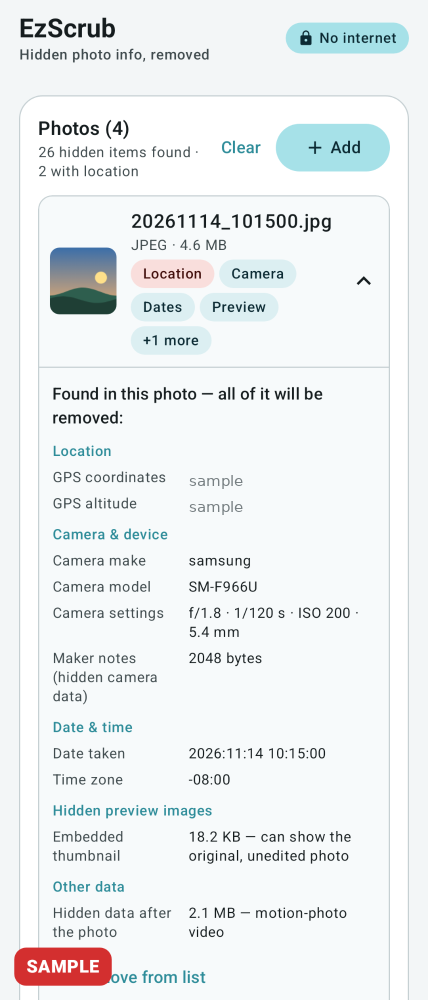
Load JPEG, PNG, WebP or HEIC photos with the system picker, the gallery picker, or Share. Before anything changes, EzScrub can show GPS, camera make and serial, dates, owner, software, embedded thumbnails, XMP/IPTC and hidden data after the photo. It then strips all of it. JPEG, PNG and WebP with no watermark or rotation are stripped losslessly. Rotated photos are straightened first. HEIC is saved as JPEG.
Optional watermark
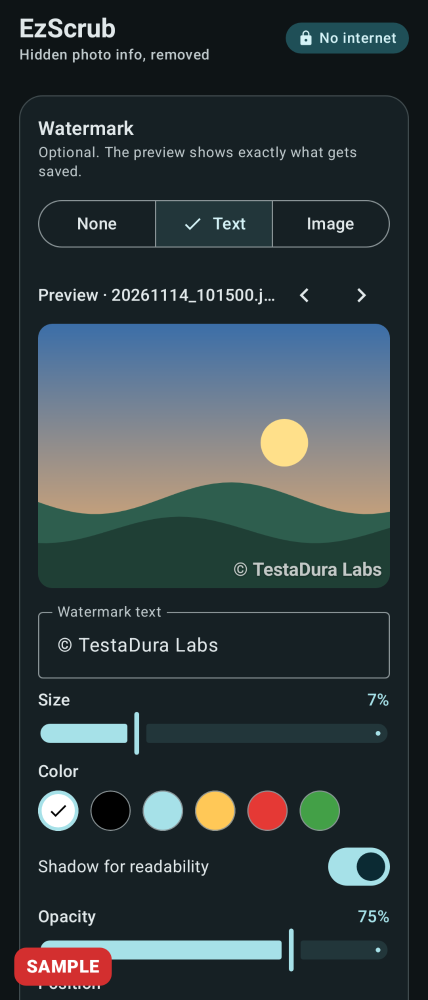
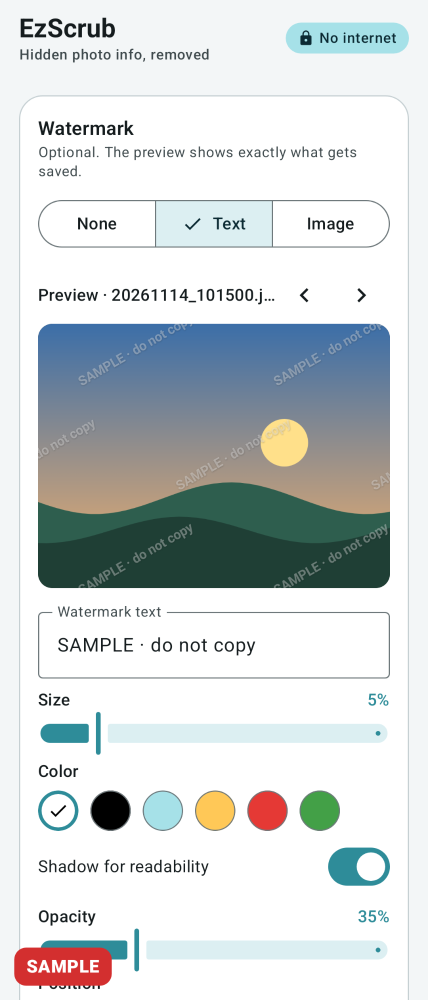
Add text (size, colour, opacity, shadow) or a PNG logo. Place it in a corner, the center, or tiled. The live preview uses the same drawing as the saved file.
Save, share, or keep the original
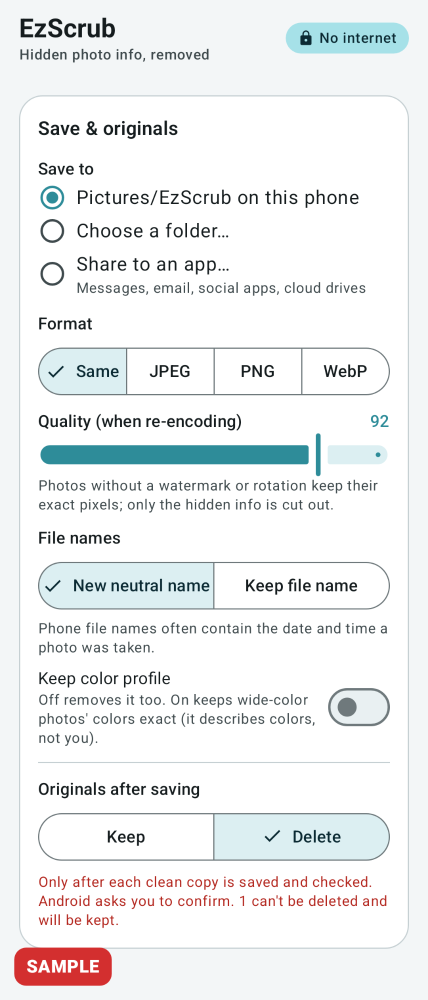
Save to Pictures/EzScrub, a folder you choose, or the share sheet. Keep originals by default, or delete them after a clean copy is saved and checked (Android shows its own confirmation on Android 11 and newer).
Capture the screen already clean
Start screen capture in the app. Android shows its own consent dialog each session. A notification with Capture and Stop, and an optional Scrub capture Quick Settings tile, take the shot after a countdown (none, 3 or 5 seconds). Each capture is stripped — and watermarked if you asked — then saved to Pictures/EzScrub.
Protected screens stay protected
Screens an app marks as protected, such as some banking or password screens, some Snapchat or WhatsApp view-once content, and DRM video, come out black. Android enforces this; EzScrub does not try to get around it. Almost-all-black frames are not saved to Pictures.
No internet permission
Nothing leaves the phone unless you share it.
What it does not do
The 0.2.0 build has not yet been run on a phone or emulator.
Protected or secure screens come out black and are not circumvented.
Some apps can detect that a capture is in progress, and Android may show its own screen-sharing indicator in the status bar of a capture.
HEIC decode uses Android’s ImageDecoder and has not been tested with a real HEIC file on a device. HEIC needs Android 9 or newer; output is JPEG.
Ultra HDR gain maps and motion-photo video are removed, so outputs are ordinary still photos.
On Android 10 and newer, the system may hide GPS from apps without a media-location permission, so EzScrub might not list a location even though it still removes it.
Screenshots
These are sample interface renders from the app, not photographs from a phone. Some frames show sample data.
Sample render
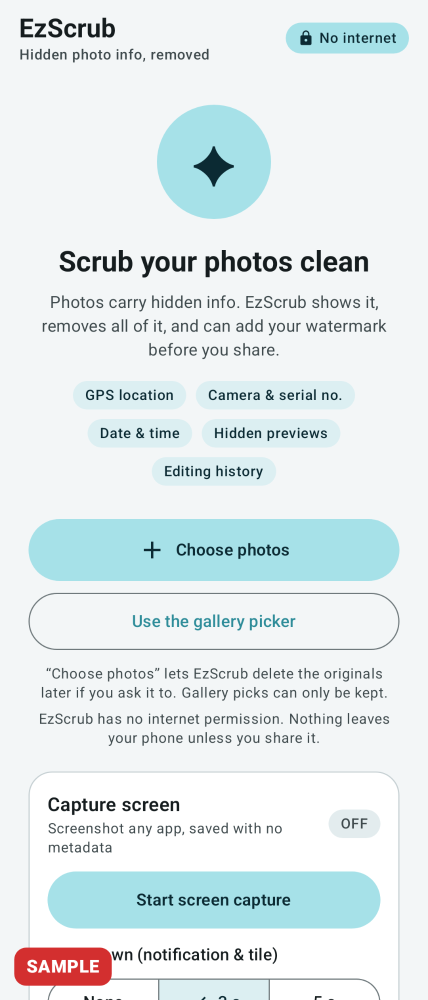
Home. Choose photos, or start a screen capture.
Sample render
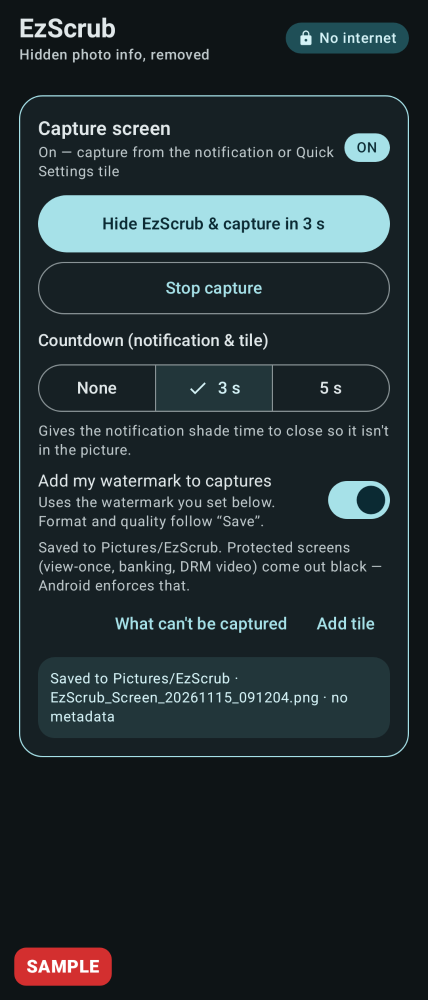
Capture is on. Saved shots go through the same strip-and-verify steps.
Sample render
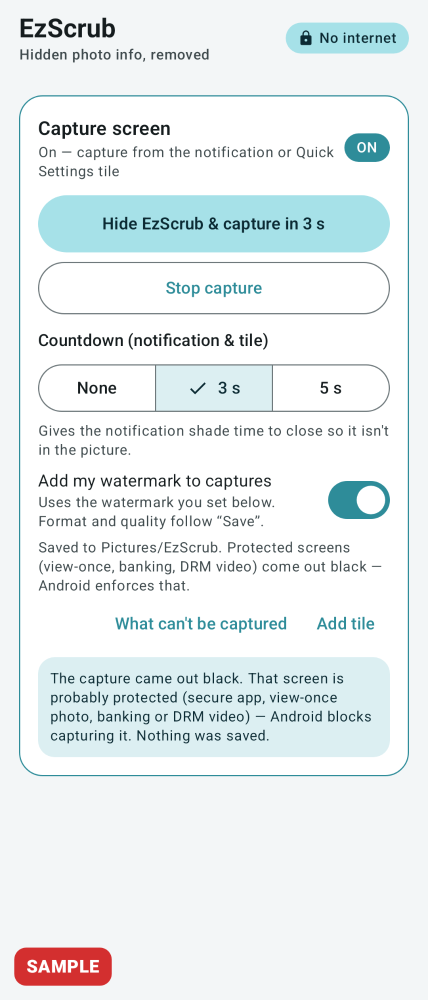
Protected screens come out black. That result is not saved to Pictures.
Sample render
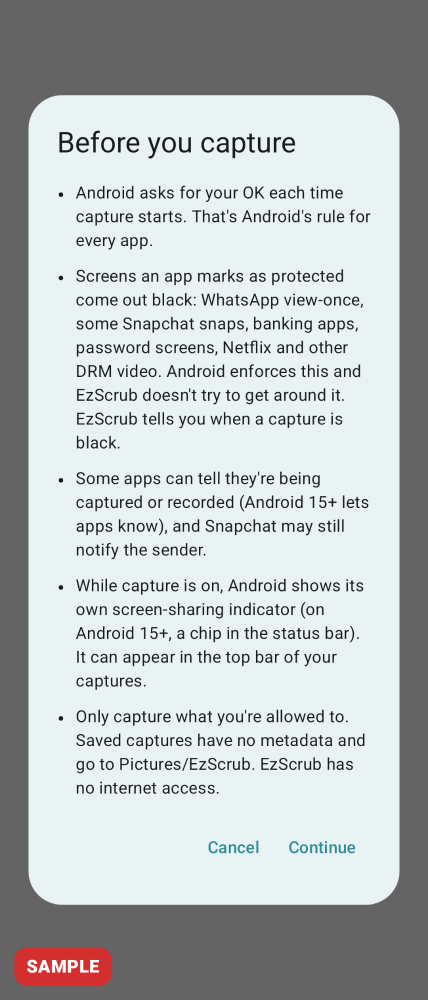
A one-time notice explains the limits before the first capture.
Sample render
What’s hidden is listed before anything is changed. Exact GPS figures in this sample were covered for the site.
Sample render
Optional text watermark, with a live preview.
Sample render
A tiled watermark is one of the placement options.
Sample render
Save to Pictures/EzScrub, a folder you choose, or the share sheet. Originals are kept by default.
Sample render
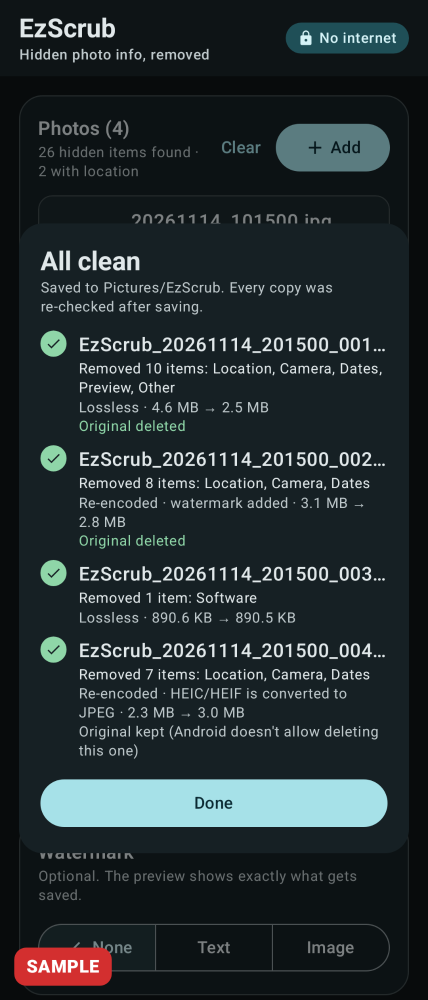
Each saved copy is checked before it counts as done.
Specs
Version
0.2.0
Platform
Android
Minimum Android
Android 8.0 (API 26)
Size
6.66 MB
Permissions
Screen capture (official MediaProjection API) and notifications when you start a capture. Storage write on Android 8 and 9 only. No internet permission and no accessibility service.
Works offline
Yes. The app has no internet permission.
Data collected
None. Nothing leaves the phone unless you share a file.
Last updated
15 Nov 2026
How to use it
A public download is not offered yet. Once you have the app:
Tap Choose photos (or share photos into EzScrub), review what’s hidden, optionally set a watermark, then tap Scrub.
To capture the screen, tap Start screen capture, accept Android’s consent dialog, then use the notification’s Capture button or the optional Quick Settings tile after the countdown.
Protected screens will come out black. That is expected and cannot be changed.
Requirements
Android 8.0 (API 26) or newer; targets Android 16 (API 36). HEIC input needs Android 9 or newer. Not yet run on a device. Cover and inner screens, portrait and landscape, are intended to work, including on a foldable.
Questions
Does EzScrub need the internet?
No. It has no internet permission, so it cannot send anything anywhere unless you share a file yourself.
Can it capture WhatsApp or Snapchat?
It uses only Android’s official screen-capture API. Content those apps (or banks, password screens and DRM video) mark as protected comes out black. EzScrub does not get around that. Some apps may also detect or notify when a capture happens.
Are my originals deleted?
No, not by default. Keep is the default every time you open the app. Delete is offered only after a clean copy is saved and checked, and Android shows its own confirmation on Android 11 and newer.
Download
Coming soon. A public download is not offered yet.