
A separate account for each persona
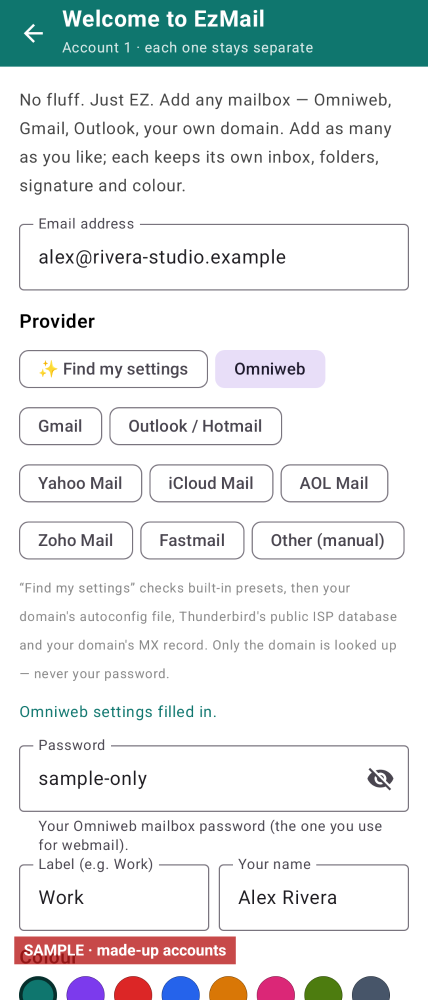
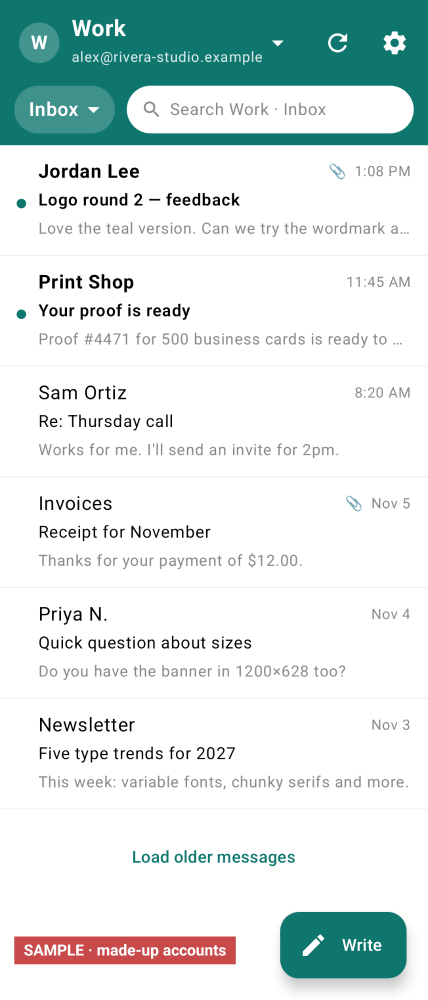
Add as many IMAP accounts as you like. Each one has its own login, inbox, folders, cache, outbox, signature, colour, label and notification channel. The default view is one account at a time.
Home›EzMail

Version 0.3.0
EzMail is a clean IMAP and SMTP mail client for any mailbox you add. Each account is a full, separate persona — its own login, inbox, folders, cache, signature, colour and notifications. Replies always go out from the account that received the mail.
Beta. This build has not yet been run on a phone. Screenshots use made-up accounts. A public download is not offered yet.
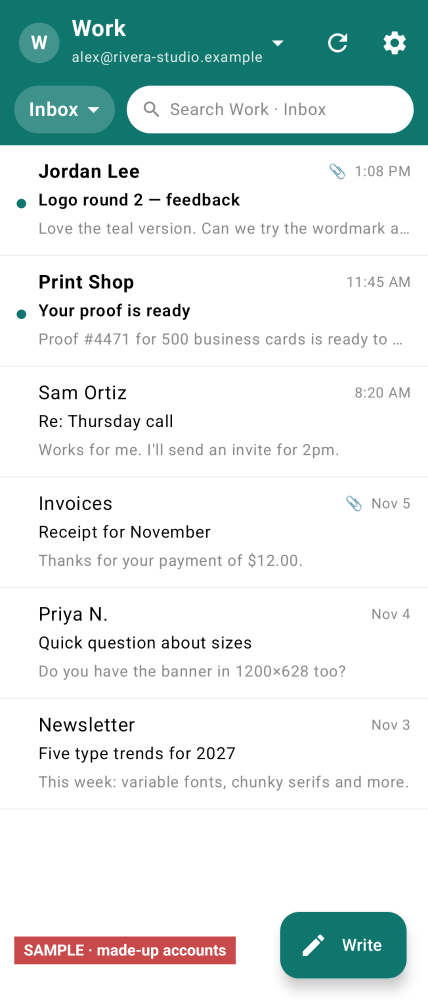
Add as many IMAP accounts as you like. Each one has its own login, inbox, folders, cache, outbox, signature, colour, label and notification channel. The default view is one account at a time.
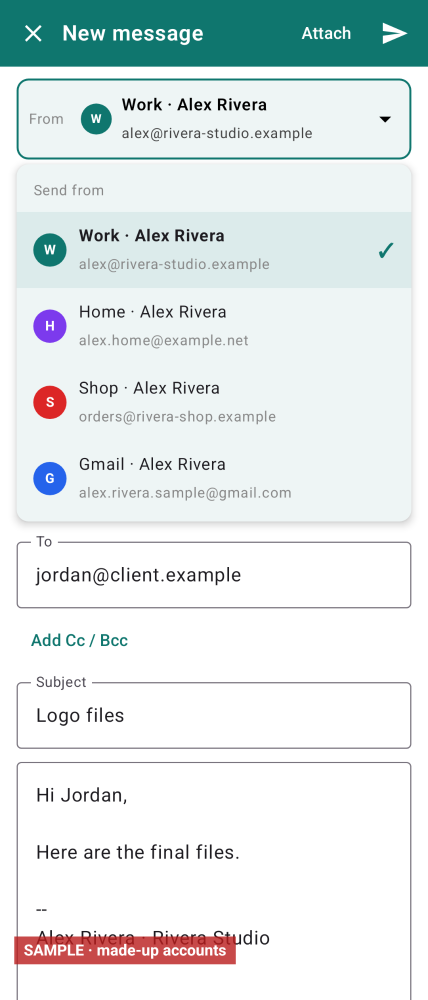
The From picker lists every account. Replies and forwards are locked to the account that received the mail, so a message cannot go out from the wrong mailbox.
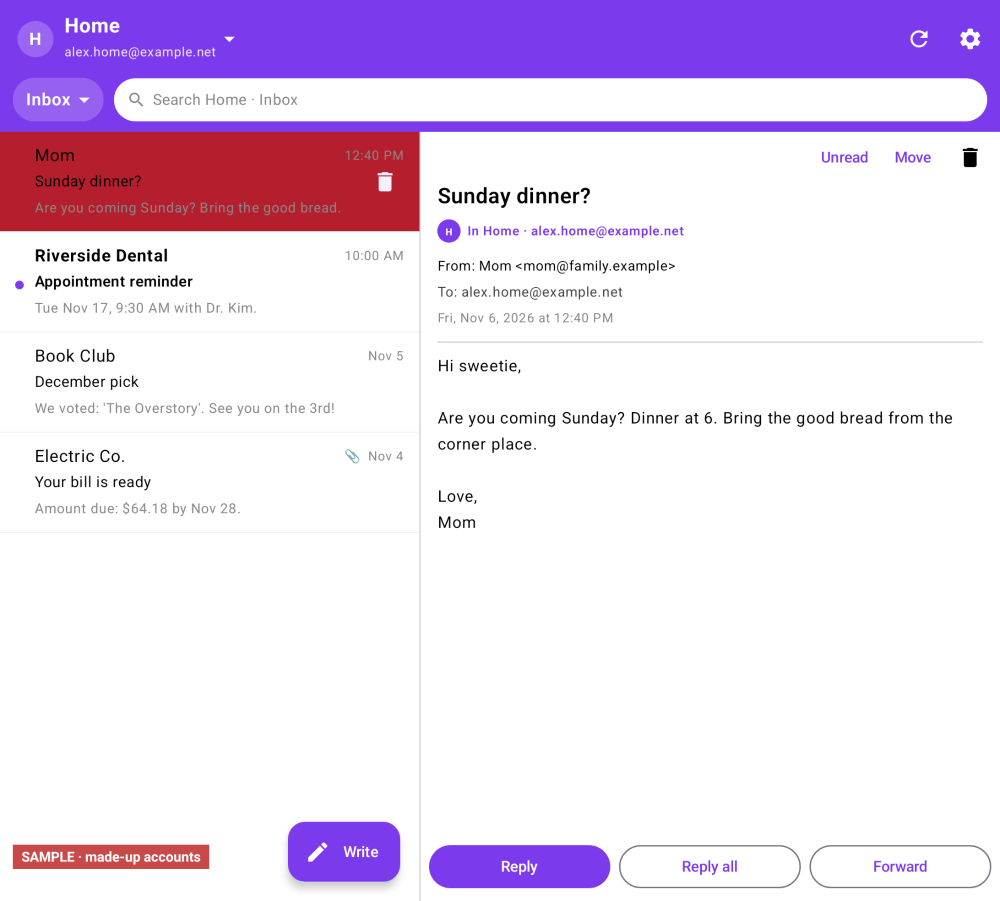
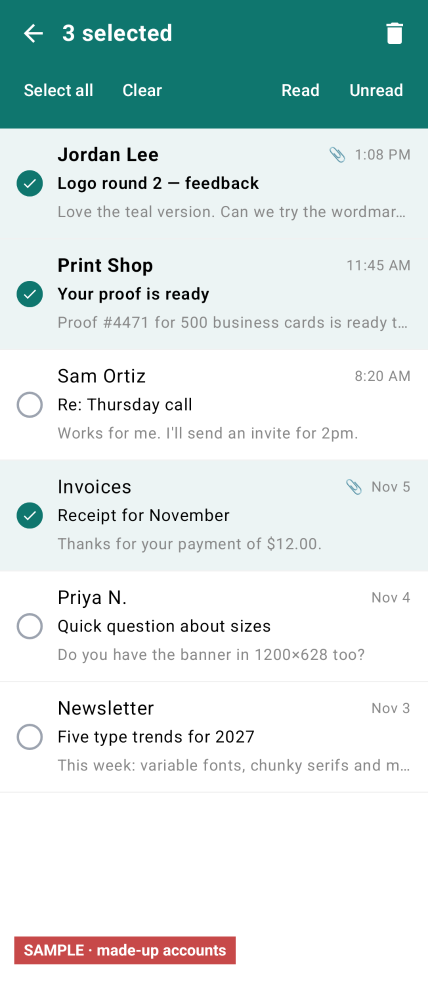
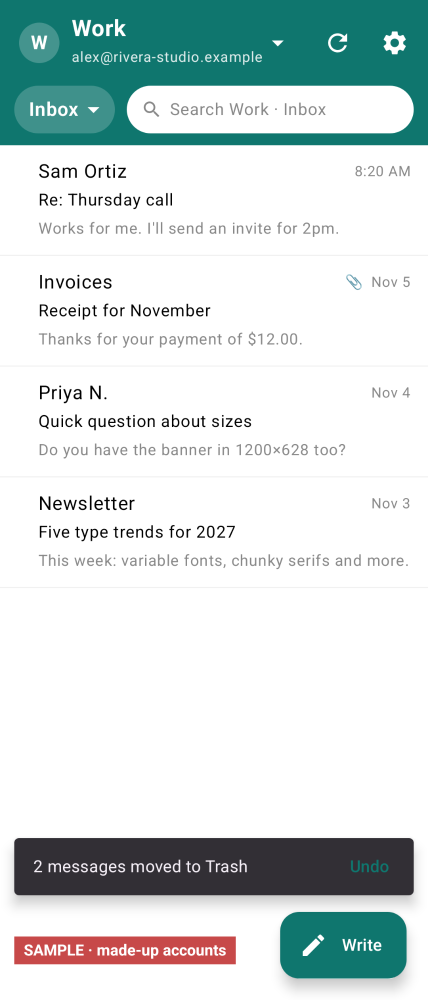
Long-press to enter selection mode, then Select all, Clear, Delete, or mark read or unread. Delete moves mail to that account’s Trash, with a five-second Undo. Swipe left also deletes one row. Deleting from Trash asks before it is gone for good.
HTML is shown without JavaScript, and remote images stay blocked until you tap Load images. Search looks at mail already on the phone first, then can Search on server. Load older messages pages in the next 200 headers. Keep mail on phone is per account (from two weeks to all; default is the last month).
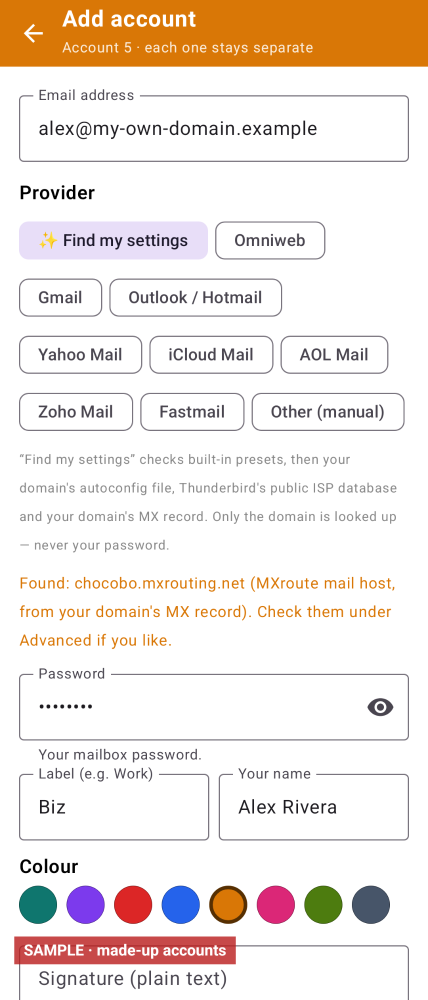
A show-or-hide eye is on the password field. Passwords are stored with AES-GCM using a key in Android Keystore. Presets include Omniweb, Gmail, Outlook, Yahoo, iCloud, AOL, Zoho, Fastmail (app passwords; no OAuth yet) and manual IMAP/SMTP.
On a wide inner screen the message list and the reader sit side by side.
These are sample interface renders from the app, not photographs from a phone. Some frames show sample data.
| Version | 0.3.0 |
|---|---|
| Platform | Android |
| Minimum Android | Android 8.0 (API 26) |
| Size | 7.60 MB |
| Permissions | Internet and network state, to reach the mail servers you add. Notifications. A wake lock and boot-completed for scheduled checks. No contacts, storage or location permissions. |
| Works offline | Mail already on the phone can be read offline. Checking, server search and sending need a connection to that account’s mail server. |
| Data collected | Connects only to the mail servers you add. Mail, settings and passwords stay on the phone. Passwords are encrypted with Android Keystore. Android backup is turned off. |
| Last updated | 14 Nov 2026 |
A public download is not offered yet. Once you have the app, use your own accounts — nothing is pre-filled:
Android 8.0 (API 26) or newer; targets Android 16 (API 36). MX auto-discovery needs Android 10 or newer. Not yet run on a device. Intended to work on a foldable inner screen.
No. The default view is one account at a time. A combined inbox is not in this version.
Not yet. There is no OAuth. Gmail and similar providers need an app password, and Outlook.com may refuse a password login entirely.
Mail already downloaded can be read without a network. Checking for new mail, Search on server, and sending need a connection to that account’s mail server. If you are offline, outgoing mail waits in that account’s outbox.
On your phone. Passwords are encrypted with a key in Android Keystore. The app connects only to the mail servers you add. Android backup is turned off.
Coming soon. A public download is not offered yet.
Coming soon