
SSH to saved hosts
A host book with name, host, port, user, colour, and a password or key. Generate Ed25519, RSA 3072/4096 or ECDSA keys, or import OpenSSH, PEM or PKCS#8 keys, and copy the public key. Keep-alive every 30 seconds.
Home›EzCrt

Version 0.1.0
EzCrt is a no-nonsense Android terminal for the routers, switches and servers you look after. SSH to saved hosts, Telnet to old gear, a USB serial console, and the phone’s own shell, in tabs, with SSH port forwarding.
Beta. This build has not yet been run on a phone. Screenshots use made-up hosts. A public download is not offered yet.
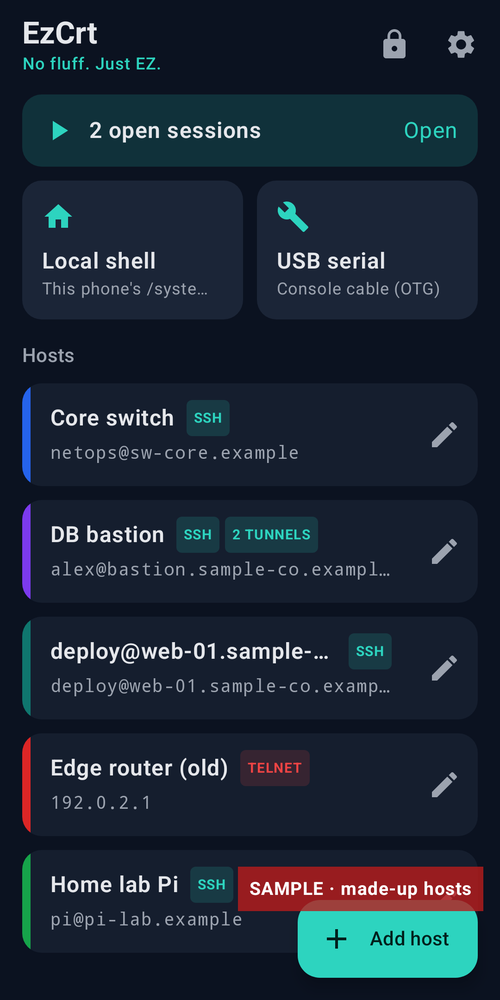
A host book with name, host, port, user, colour, and a password or key. Generate Ed25519, RSA 3072/4096 or ECDSA keys, or import OpenSSH, PEM or PKCS#8 keys, and copy the public key. Keep-alive every 30 seconds.
The first connect shows the server’s SHA256 fingerprint to trust and save, use once, or cancel. A changed host key is blocked with a red warning, and Disconnect is the default. Agent forwarding is off unless you turn it on for a host.
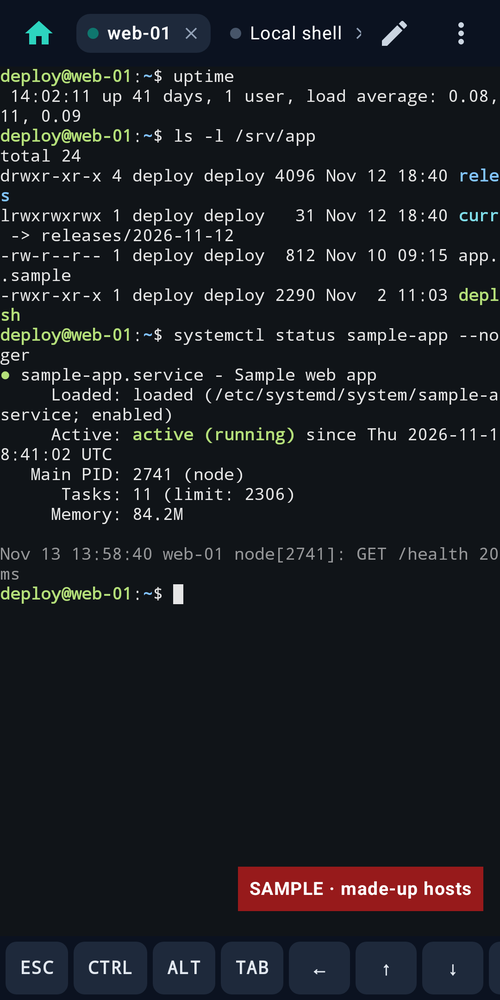
Open as many sessions as you like in tabs. They stay connected in the background with a “N sessions open · Disconnect all” notification. On a wide inner screen, two sessions sit side by side.
FTDI, CP210x, CH34x, PL2303 and CDC-ACM adapters over OTG. Baud 300–921600, data bits, parity, stop bits, Enter as CR, LF or CR+LF, local echo, and Send BREAK.
Telnet for older gear, with a red warning in the host editor, an “Unencrypted connection” confirm before every connect, and a red UNENCRYPTED badge on the tab.
Per-host local, remote and dynamic SOCKS forwarding rules, written like ssh’s -L, -R and -D. They bind to 127.0.0.1 by default and warn about 0.0.0.0 and low ports. A failed rule is shown without dropping the session.
An xterm-256color terminal with 256 and true colour, 2,000 lines of scrollback, an extra-keys row (Esc, Ctrl, Alt, Tab, arrows and more), pinch zoom, copy and paste, and four themes. The local shell runs the phone’s own /system/bin/sh.
Passwords and private keys are encrypted with AES-256-GCM using a key in Android Keystore. Saving a password is optional. An optional lock asks for your fingerprint or screen lock. Android backup is turned off.
These are sample interface renders from the app, not photographs from a phone. Some frames show sample data.
| Version | 0.1.0 |
|---|---|
| Platform | Android (arm64-v8a, armeabi-v7a, x86_64) |
| Minimum Android | Android 8.0 (API 26) |
| Size | 11.6 MB |
| Permissions | Internet and network state, for the connections you start. Notifications and a foreground service to keep open sessions alive. Biometric, for the optional lock. USB host is optional. No storage, location or contacts permissions. |
| Works offline | The local shell and USB serial work without a network. SSH and Telnet need a connection to the host you choose. |
| Data collected | None. No accounts, ads or analytics. Passwords and keys are encrypted with Android Keystore. Android backup is turned off. |
| Last updated | 13 Nov 2026 |
A public download is not offered yet. Once you have the app, use your own servers — nothing is pre-filled:
Android 8.0 (API 26) or newer; targets Android 16 (API 36). USB serial needs an OTG adapter. Not yet run on a device. Intended to work on a foldable inner screen.
No. The local shell runs the phone’s own /system/bin/sh inside the app’s sandbox.
Telnet is not encrypted. EzCrt marks it clearly and asks you to confirm before every Telnet connection. Use SSH whenever the device supports it.
EzCrt blocks the connection and shows a red warning. Disconnect is the default. You can only replace the saved key after ticking a confirmation box.
On your phone, encrypted with a key in Android Keystore. EzCrt connects only to hosts you start a session with. Android backup is turned off.
Coming soon. A public download is not offered yet.
Coming soon